📚 Series Navigation:
← Previous: Part 8 - Modern QA Workflow
👉 You are here: Part 9 - Bug Reports That Get Fixed
Next: Part 10 - The QA Survival Kit →
Introduction: The Bug Report That Gets Ignored
Picture this: You just spent 2 hours tracking down a nasty bug. You're excited—this is a good catch! You write a bug report and assign it to the developer.
Three days later: Status still "Open"
One week later: Developer comments: "Cannot reproduce"
Two weeks later: Bug closed as "Working as intended"
Your frustration level: MAXIMUM 😤
What went wrong?
Here's the hard truth: The quality of your bug report directly affects whether it gets fixed.
A great bug report:
- ✅ Gets fixed quickly
- ✅ Builds trust with developers
- ✅ Prevents back-and-forth questions
- ✅ Documents the issue for future reference
A bad bug report:
- ❌ Gets ignored or closed
- ❌ Frustrates everyone involved
- ❌ Wastes time with clarification rounds
- ❌ Damages your credibility
Today, you'll learn:
- ✅ The anatomy of a perfect bug report
- ✅ How to communicate effectively with developers
- ✅ Bug prioritization that everyone agrees with
- ✅ Following up without being annoying
- ✅ Building trust with your development team
Let's write bug reports that actually get fixed! 🎯
📝 The Anatomy of a Perfect Bug Report
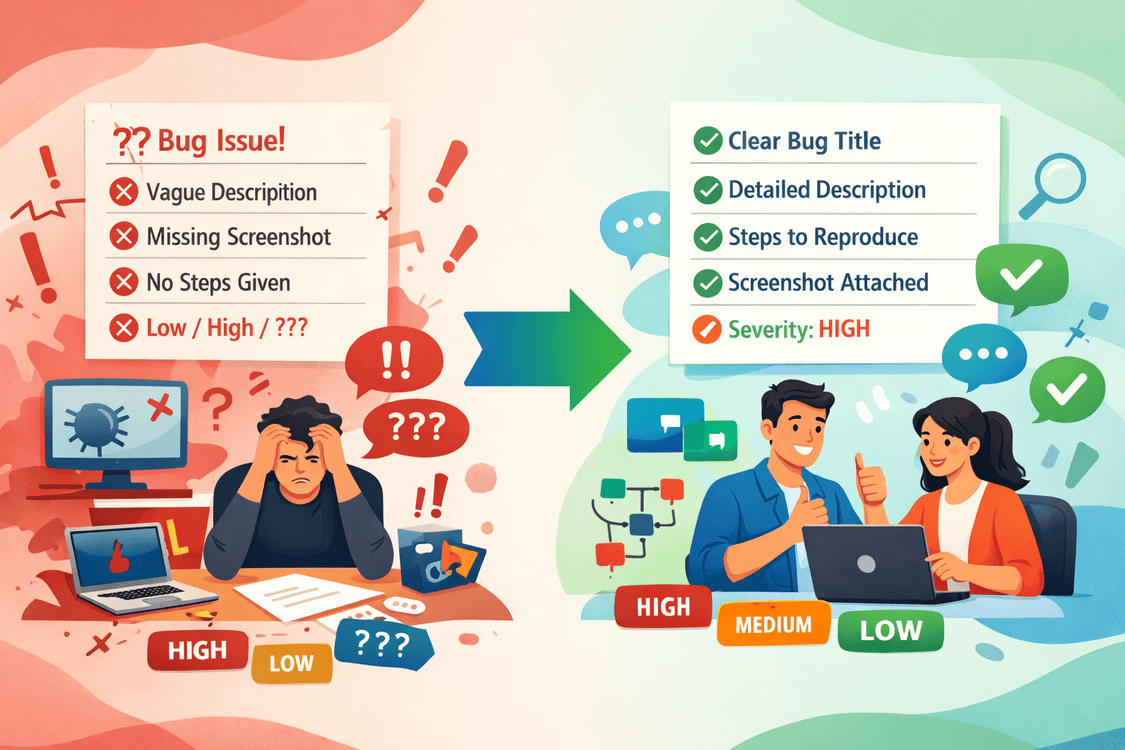
The Bad Bug Report (Don't Do This!)
Title: Login doesn't work

Description:
The login is broken. Please fix ASAP!!!

Priority: CRITICAL
What's wrong with this?
- ❌ Vague title (which login? how broken?)
- ❌ No reproduction steps
- ❌ No expected vs actual behavior
- ❌ No environment details
- ❌ No evidence (screenshots, logs)
- ❌ Emotional language ("ASAP!!!")
- ❌ Priority likely wrong
Developer reaction: sigh "Another vague bug report. I'll get to it... eventually."
The Good Bug Report (Do This!)
🐛 Bug Report: Login fails with special characters in password
Bug ID: BUG-1337
Reported By: QA Jane
Date: 2025-11-20
Environment: Staging (v2.3.0)
Severity: 🔴 High (Blocks user login)
Priority: P1
📋 Summary
Users cannot log in if their password contains certain special characters
(&, <, >). The login form shows "Invalid credentials" error even with
correct password.
🔁 Steps to Reproduce
- Navigate to https://staging.taskmaster.com/login
- Enter credentials:
- Email:
test@example.com - Password:
Pass&word<123>
- Email:
- Click "Login" button
✅ Expected Behavior
- User successfully logged in
- Redirected to dashboard (/dashboard)
- Session token created and stored
- Welcome message displayed
❌ Actual Behavior
- Error message appears: "Invalid credentials"
- User remains on login page
- Network tab shows HTTP 401 Unauthorized
- No session token created
🖼️ Evidence
Screenshot: bug-1337-login-error.png
Video: bug-1337-recording.mp4
Network Logs: bug-1337-network.har
Console Error:
POST /api/auth/login 401 (Unauthorized) Error: Request failed with status code 401
🔍 Additional Information
Works With These Passwords:
- ✅
Pass123!(no &, <, >) - ✅
Password#456(# and $ work fine) - ✅
Test@Password123(@ works)
Fails With These Passwords:
- ❌
Pass&word123 - ❌
Test<User> - ❌
My>Password
Pattern Identified:
Passwords containing &, <, or > always fail
Hypothesis:
Special characters may not be properly URL-encoded or HTML-escaped
before sending to API.
🌍 Environment Details
- Browser: Chrome 130.0.6723.92
- OS: Windows 11 Pro
- Screen Resolution: 1920x1080
- Network: WiFi (fast connection)
- User Agent: Mozilla/5.0 (Windows NT 10.0; Win64; x64)...
💡 Suggested Fix
Check if passwords are properly URL-encoded before sending to backend API.
Verify HTML escaping is not being applied to password fields.
🔗 Related Issues
- Similar to: BUG-1320 (XSS prevention in password field)
- Blocks: REQ-001 (User Registration - same issue likely exists)
- Duplicate of: None found
✋ Workaround
Users can temporarily use passwords without &, <, > characters.
Not a viable long-term solution.
Impact: Affects all users with special characters in passwords.
Estimated ~5% of user base based on password complexity requirements.
Developer reaction: "Wow, this is detailed! I can reproduce this immediately. I know exactly what's wrong."
🎯 The Essential Elements
1. Title: Make It Scannable
Bad titles:
- ❌ "Bug in login"
- ❌ "Something broken"
- ❌ "URGENT FIX NEEDED"
- ❌ "Login issue"
Good titles:
- ✅ "Login fails with special characters (&, <, >) in password"
- ✅ "Task export generates empty CSV for >1000 tasks"
- ✅ "Reminder emails sent twice during DST transition"
- ✅ "Database deadlock when rescheduling multiple tasks"
Formula: [Feature] [Action] [Specific Condition/Symptom]
2. Steps to Reproduce: Be Obsessively Specific
Bad steps:
1. Login
2. Create task
3. Bug appears
Good steps:
1. Navigate to https://staging.taskmaster.com/login
2. Log in with credentials:
   - Email: test@example.com
   - Password: Test123!
3. Click "Tasks" in navigation menu
4. Click "+ New Task" button
5. Fill form:
   - Title: "Test Task"
   - Description: "<script>alert('test')</script>"
   - Due Date: Tomorrow (use date picker)
   - Priority: High
6. Click "Create Task" button
7. Observe: Script tags are not escaped in task list
Key principles:
- Include exact URLs
- Provide test credentials (if needed)
- Specify exact input values
- Note which buttons/links to click
- Include timing (if relevant)
- Mention any setup required
3. Expected vs Actual: Clear Contrast
Expected Behavior:
✅ Script tags should be HTML-escaped
✅ Description displays as: <script>alert('test')</script>
✅ No JavaScript execution
✅ Browser console shows no errors

Actual Behavior:
❌ Script tags are NOT escaped
❌ Alert popup appears with message: "test"
❌ Potential XSS vulnerability
❌ Console shows: "Uncaught SecurityError"
4. Evidence: Show, Don't Just Tell
Must-have evidence:
- 📸 Screenshot showing the bug
- 🎥 Video for complex interactions or timing issues
- 📊 Network logs for API issues (.har file)
- 📝 Console logs for JavaScript errors
- 🗄️ Database state (if applicable)
- 📄 Log files from server (if accessible)
Tools to capture evidence:
- Screenshots: Windows Snipping Tool, macOS Screenshot, Greenshot
- Videos: Loom, OBS Studio, QuickTime (Mac), Xbox Game Bar (Windows)
- Network logs: Browser DevTools → Network → Export HAR
- Console logs: Browser DevTools → Console → Copy
- Screen recording with annotations: SnagIt, Camtasia
5. Environment Details: Context Matters
Environment Checklist:
□ Application version/build number
□ Environment (dev, staging, production)
□ Browser + version (if web app)
□ OS + version
□ Mobile device + OS (if mobile)
□ Screen resolution
□ Network condition (WiFi, 4G, slow connection)
□ User role/permissions
□ Time/timezone (for time-dependent bugs)
🎨 Bug Report Templates
Template 1: Functional Bug
🐛 [Feature] [Action] [Symptom]
ID: BUG-XXXX
Severity: [Critical/High/Medium/Low]
Priority: [P0/P1/P2/P3]
Status: Open
Assignee: [Developer Name]
Summary
[One sentence describing the bug]
Steps to Reproduce
- [Step 1]
- [Step 2]
- [Step 3]
Expected Result
- [What should happen]
Actual Result
- [What actually happens]
Environment
- Version: [x.y.z]
- Browser: [Browser + Version]
- OS: [Operating System]
Attachments
- Screenshot: [filename]
- Video: [filename]
- Logs: [filename]
Additional Notes
[Any other relevant information]
Template 2: Performance Bug
⚡ Performance Issue: [Feature] [Slow/Unresponsive]
ID: PERF-XXXX
Severity: [High/Medium/Low]
Symptom
[What feels slow/broken]
Steps to Reproduce
- [Setup: data volume, user count, etc.]
- [Action that triggers performance issue]
- [Observation]
Performance Metrics
- Actual Time: [X seconds/minutes]
- Expected Time: [Y seconds]
- Acceptable Time: [Z seconds]
Impact
- [How many users affected]
- [Business impact]
Environment
- Data volume: [X records/users/tasks]
- Concurrent users: [X]
- Server specs: [If known]
Performance Data
- Network: [waterfall screenshot]
- CPU usage: [%]
- Memory usage: [MB/GB]
- Database queries: [count, slow query log]
Reproducibility
- Always: [X]
- Intermittent: [X]
- Frequency: [X% of the time]
Template 3: Security Bug
🔒 Security Issue: [Vulnerability Type]
ID: SEC-XXXX
Severity: 🔴 Critical
Classification: [OWASP Category]
CONFIDENTIAL - RESTRICTED ACCESS
Vulnerability Summary
[Brief description - DO NOT include exploit details publicly]
Attack Vector
[How the vulnerability can be exploited]
Impact Assessment
- Confidentiality: [High/Medium/Low]
- Integrity: [High/Medium/Low]
- Availability: [High/Medium/Low]
- Scope: [Who is affected]
Proof of Concept
[Steps to demonstrate - BE CAREFUL with public disclosure]
Affected Components
- [Component 1]
- [Component 2]
Recommended Fix
[Mitigation suggestions]
References
- OWASP: [Link]
- CVE: [If applicable]
Disclosure Timeline
- Discovery: [Date]
- Reported: [Date]
- Expected Fix: [Date]
- Public Disclosure: [Date - follow responsible disclosure]
🏆 Severity vs Priority: Getting It Right
Severity: How Bad Is It?
Severity = Technical Impact
🔴 Critical (Sev 1)
├─ Application completely down
├─ Data loss or corruption
├─ Security breach
└─ Payment processing broken

Examples:
- Database server crashed
- All users locked out
- Customer credit card data exposed
- Money charged twice

🟡 High (Sev 2)
├─ Major feature broken
├─ Affects many users
├─ No workaround available
└─ Significant functionality lost

Examples:
- Cannot create tasks (core feature)
- Login fails for 50% of users
- Emails not being sent
- Reports showing wrong data

🟢 Medium (Sev 3)
├─ Minor feature broken
├─ Affects some users
├─ Workaround exists
└─ Annoying but not blocking

Examples:
- Filter doesn't persist after refresh
- Tooltip shows wrong text
- Export to Excel fails (can use CSV)
- Mobile layout slightly misaligned

🔵 Low (Sev 4)
├─ Cosmetic issues
├─ Edge cases
├─ Minor inconveniences
└─ Polish items

Examples:
- Button slightly misaligned
- Typo in help text
- Icon wrong color
- Cursor doesn't change on hover
Priority: How Soon Should We Fix It?
Priority = Business Urgency
P0 - Drop Everything
├─ Severity: Critical
├─ Timeline: Fix in hours
├─ Impact: Business cannot function
└─ All hands on deck

P1 - Fix This Sprint
├─ Severity: High (usually)
├─ Timeline: Fix within days
├─ Impact: Blocking important work
└─ Next in line after P0

P2 - Fix Next Sprint
├─ Severity: Medium
├─ Timeline: Fix within weeks
├─ Impact: Annoying but tolerable
└─ Plan into roadmap

P3 - Backlog
├─ Severity: Low
├─ Timeline: When convenient
├─ Impact: Nice to fix someday
└─ May never get fixed (and that's okay)
The Severity-Priority Matrix
| Severity ↓ / Business Impact → | Critical Feature | Important Feature | Nice-to-Have |
|---|---|---|---|
| 🔴 Critical (Sev 1) | P0 - Fix Now | P0 - Fix Now | P1 - This Sprint |
| 🟡 High (Sev 2) | P0/P1 - Urgent | P1 - This Sprint | P2 - Next Sprint |
| 🟢 Medium (Sev 3) | P1 - This Sprint | P2 - Next Sprint | P3 - Backlog |
| 🔵 Low (Sev 4) | P2 - Next Sprint | P3 - Backlog | P3 - Backlog |
Example:
- Bug: Typo in help text for user registration
- Severity: Low (cosmetic)
- Feature: User registration (critical feature!)
- Priority: P2 (fix next sprint - it's important but not urgent)
💬 Communication: The Human Element
DO: Collaborative Language ✅
Instead of this:
❌ "The login is completely broken! How did this even make it
   through code review??"

❌ "This is an obvious bug. Any competent developer would have
   caught this."

❌ "URGENT!!! Fix this NOW!!!"
Say this:
✅ "I found an issue with login when passwords contain special
   characters. I've documented reproduction steps below."

✅ "This appears to be an edge case we didn't catch in testing.
   Here's what I found..."

✅ "This is blocking the release. Can we discuss priority in
   today's standup?"
DO: Provide Context ✅
Bad:
"Task creation is broken"Good:
"Task creation fails when the description contains HTML tags.
This might be related to the XSS prevention work we did last
sprint. I noticed the escaping logic might be too aggressive.
Can you take a look?"
DO: Suggest Solutions (When Appropriate) ✅
"Issue: Emails not being sent to users with + in email address

Hypothesis: Email validation regex doesn't allow + character,
but RFC 5322 allows it (plus addressing is common with Gmail).

Suggested Fix: Update email regex to include + character.
Current: /^[a-zA-Z0-9._-]+@[a-zA-Z0-9.-]+$/
Suggested: /^[a-zA-Z0-9._+-]+@[a-zA-Z0-9.-]+$/

Let me know if you need more details!"
DON'T: Be Judgmental or Emotional ❌
Avoid:
- "How could you miss this?"
- "This is terrible code!"
- "Obviously broken"
- "CRITICAL!!! FIX NOW!!!"
- "This never should have passed review"
- "I can't believe this bug exists"
These don't help: They put developers on the defensive and damage relationships.
🔄 Following Up: The Art of Persistence
When to Follow Up
Too Soon: Same day you reported it
Too Late: Never checking on status
Just Right: 2-3 business days for normal bugs, 4-6 hours for critical
How to Follow Up
Bad follow-up:
"Why isn't this fixed yet??"Good follow-up:
"Hi Mike, checking in on BUG-1337 (login with special characters).
I know you're busy, but this is blocking testing for the registration
flow. Is there anything I can help with? Additional logs? Different
test case?"
The Follow-Up Cadence
Day 0: Bug reported
Day 2: Friendly check-in (if no response)
Day 3: Mention in standup (if still no response)
Day 4: Escalate to team lead (if critical)

For critical bugs:
Hour 0: Bug reported
Hour 4: Check-in if no acknowledgment
Hour 8: Escalate to team lead
Hour 24: Escalate to management
Following Up on "Cannot Reproduce"
Developer says: "Cannot reproduce"
Don't say: "Yes you can! I just showed you!"
Do say:
"Thanks for trying! Let me help debug this:

1. Can you confirm you're testing on staging environment?
2. Are you using the test account test@example.com?
3. Did you try the exact password 'Pass&word<123>'?
4. Can we schedule a quick screenshare? I can show you live.

I've also attached a video showing the exact steps. Let me
know if that helps!"
🤝 Building Trust with Developers
The Trust Equation
Trust = Reliability × Helpfulness / Time Wasted
Ways to build trust:
- Write great bug reports (you're doing this!)
- Verify before reporting
- Can you reproduce it 3 times?
- Is it really a bug or expected behavior?
- Did you check the documentation?
- Don't cry wolf
- Not everything is Critical
- Save P0 for actual emergencies
- Be honest about severity
- Be a partner, not a gatekeeper
- Pair on tricky bugs
- Suggest solutions when you can
- Celebrate when bugs get fixed
- Give credit publicly
   In team meeting: "Big shout-out to Mike for the quick fix
on BUG-1337! The special character handling is perfect now."- Admit your mistakes
   "My bad - this wasn't a bug. I misunderstood the requirement.
   Closing this as invalid."
The Developer-QA Partnership
Bad dynamic:
QA: "I found 20 bugs!"
Dev: "These aren't bugs, they're features!"
QA: "No, they're bugs!"
Dev: *closes all as "Working as intended"*
[Relationship damaged]
Good dynamic:
QA: "I found some unexpected behaviors. Can we sync on these?
     Some might be bugs, some might be my misunderstanding."

Dev: "Sure! Let's look together."

[15-minute call]

Result: 12 actual bugs confirmed, 5 clarified as expected,
        3 documented as future enhancements

[Relationship strengthened]
📊 Bug Report Metrics (Optional)
Some teams track bug report quality:
📊 QA EFFECTIVENESS METRICS

Bug Report Quality Score:
├─ Accepted without questions: 90% ✅
├─ Required clarification: 8%
├─ Closed as invalid: 2%

Average Time to Fix:
├─ Critical: 4 hours
├─ High: 2 days
├─ Medium: 5 days

Bugs Reopened:
├─ Rate: 5% (target: <10%) ✅
├─ Reason: Incomplete fix

Developer Satisfaction:
├─ "Clear reproduction steps": 95%
├─ "Good evidence": 93%
├─ "Accurate severity": 88%
If your bugs are being closed as "cannot reproduce" frequently, that's feedback to improve your reports!
🎓 Conclusion: Communication is a Superpower
Great bug reports aren't just about finding bugs—they're about effective communication. The best QA engineers are those who:
- Write clear, detailed, reproducible bug reports
- Communicate collaboratively and professionally
- Understand both technical and business impact
- Build trust through reliability and helpfulness
- Follow up persistently but respectfully
Your Bug Report Checklist
Before clicking "Submit":
□ Title is specific and scannable
□ Reproduction steps are detailed and exact
□ Expected vs actual behavior is clear
□ Evidence is attached (screenshots, videos, logs)
□ Environment details are complete
□ Severity and priority are accurate (not inflated)
□ Language is professional and collaborative
□ You've verified it's reproducible
□ You've checked for duplicates
□ You've provided all context developers need
Remember
A bug report is not:
- An accusation
- A complaint
- An opportunity to show off
- A competition
A bug report is:
- A communication tool
- A collaboration opportunity
- Documentation for the team
- A chance to improve the product together
What's Next?
This is it—the final article in the series! In Part 10, we'll bring everything together with The QA Survival Kit: templates, checklists, resources, and career advice to set you up for long-term success.
We'll cover:
- Ready-to-use templates (copy-paste friendly!)
- Essential checklists for every scenario
- Tools and resources worth knowing
- Career development advice
- Building your personal brand as a QA engineer
Coming Next Week:
Part 10: The QA Survival Kit - Templates, Tools & Career Advice 🛠️
📚 Series Progress
✅ Part 1: Requirement Analysis
✅ Part 2: Equivalence Partitioning & BVA
✅ Part 3: Decision Tables & State Transitions
✅ Part 4: Pairwise Testing
✅ Part 5: Error Guessing & Exploratory Testing
✅ Part 6: Test Coverage Metrics
✅ Part 7: Real-World Case Study
✅ Part 8: Modern QA Workflow
✅ Part 9: Bug Reports That Get Fixed ← You just finished this!
⬜ Part 10: The QA Survival Kit
🧮 Quick Reference Card
Bug Report Checklist
BEFORE REPORTING:
□ Can I reproduce it 3 times consistently?
□ Is this actually a bug or expected behavior?
□ Did I check documentation/requirements?
□ Did I search for duplicate bugs?

ESSENTIAL ELEMENTS:
□ Descriptive title (Feature + Action + Symptom)
□ Step-by-step reproduction instructions
□ Expected behavior (what should happen)
□ Actual behavior (what actually happens)
□ Environment details (version, browser, OS)
□ Evidence (screenshot, video, logs)
□ Severity assessment (Critical/High/Medium/Low)
□ Priority recommendation (P0/P1/P2/P3)

NICE TO HAVE:
□ Hypothesis about cause
□ Suggested fix (if obvious)
□ Workaround (if available)
□ Related bugs or requirements
□ Impact assessment (% of users affected)

COMMUNICATION:
□ Professional tone (no blame, no emotion)
□ Collaborative language ("I found" not "You broke")
□ Context provided (why this matters)
□ Follow-up plan (when will you check status)
Severity Quick Reference
🔴 CRITICAL: App down, data loss, security breach
🟡 HIGH: Major feature broken, many users affected
🟢 MEDIUM: Minor feature broken, workaround exists
🔵 LOW: Cosmetic, edge case, nice-to-fix
Remember: Your bug reports represent you. Make them professional, thorough, and helpful! 🎯
What's your best bug report story? Share in the comments!