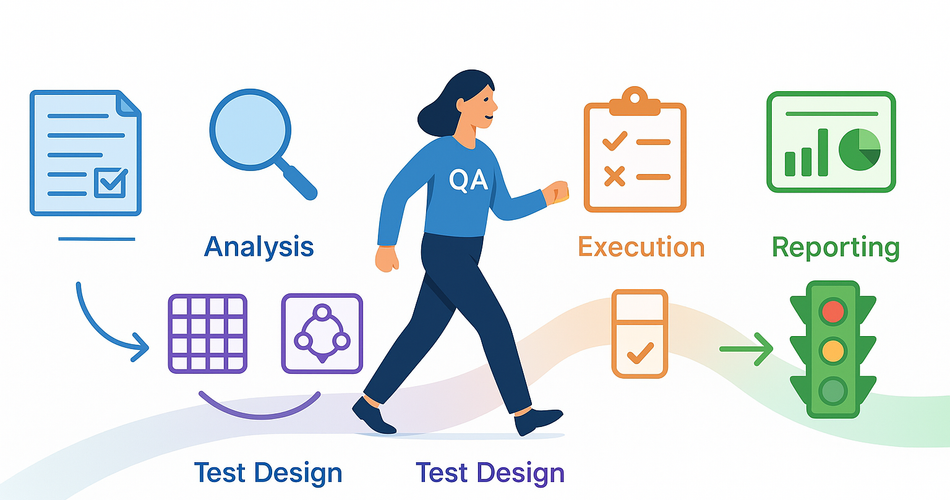
📚 Series Navigation:
← Previous: Part 6 - Test Coverage Metrics
👉 You are here: Part 7 - Real-World Case Study
Next: Part 8 - Modern QA Workflow →
Introduction: Theory Meets Practice
Welcome to Part 7! We've covered six powerful techniques:
- Part 1: Requirement Analysis (ACID Test)
- Part 2: Equivalence Partitioning & BVA
- Part 3: Decision Tables & State Transitions
- Part 4: Pairwise Testing
- Part 5: Error Guessing & Exploratory Testing
- Part 6: Test Coverage Metrics
But here's the question: How do all these techniques work together in real life?
Today, we're going full end-to-end. We'll take a complete feature from TaskMaster 3000—Task Due Date Reminders—and show you exactly how to:
- ✅ Analyze requirements using ACID
- ✅ Apply multiple test design techniques
- ✅ Create comprehensive test cases
- ✅ Build traceability matrices
- ✅ Measure meaningful coverage
- ✅ Execute and report results
This is the article you bookmark and reference when planning your next sprint. Let's dive in! 🏊♂️
📋 Phase 1: The Requirement (Day 1)
What We Received
It's Monday morning. The Product Manager drops this in Slack:
REQ-004: Task Due Date Reminders

As a user, I want to receive reminders about upcoming task due dates
so that I don't miss important deadlines.

Acceptance Criteria:
1. User can enable/disable reminders per task
2. Reminders are sent 24 hours before due date
3. Reminders are sent 1 hour before due date
4. User receives email notification
5. User receives in-app notification
6. No reminder sent if task is completed before due date
7. User can customize reminder times (24h, 12h, 1h, 30min)

Priority: High
Target Sprint: Sprint 24
Initial Reaction
😰 "Seems simple enough, right?"
WRONG. Time to apply what we learned in Part 1!
🔬 Phase 2: Requirement Analysis (Day 1, 2 hours)
Applying the ACID Test
A - Ambiguities Found
Let's interrogate this requirement:
1. "24 hours before due date"
- ❓ What timezone? User's local time or UTC?
- ❓ Exactly 24 hours or "the day before"?
- ❓ What if the task has no due time, only due date?
2. "User receives email notification"
- ❓ What happens if email fails to send?
- ❓ Should we retry?
- ❓ What's the email content/template?
- ❓ From which sender address?
3. "User can enable/disable reminders per task"
- ❓ Are reminders enabled by default?
- ❓ Can user set a global default?
- ❓ What about existing tasks when feature launches?
4. "Customize reminder times"
- ❓ Can they set multiple custom reminders (e.g., 24h + 12h + 30min)?
- ❓ What's the maximum number of reminders per task?
- ❓ Any minimum time? (Can't set reminder 1 minute before?)
5. "No reminder if completed"
- ❓ What if user completes task between 24h and 1h reminder?
- ❓ Should we cancel scheduled reminders immediately?
Total ambiguities found: 15 😱
C - Conditions Identified
Preconditions:
- Task must have a due date/time set
- User must be registered
- Background job scheduler must be running
- Email service must be configured
- User must have valid email address
Constraints:
- Reminder times must be before due date
- Can't set reminders for past tasks
- System must track user's timezone
Environmental Requirements:
- Email service (SendGrid/AWS SES/SMTP)
- Background job processor (Celery/Sidekiq/Hangfire)
- Database with scheduled jobs table
- Timezone handling library
I - Impacts Mapped
Success Scenarios:
Happy Path:
User enables reminders (default 24h + 1h)
→ Task due in 2 days
→ 24h reminder triggers → Email sent ✅ + In-app shown ✅
→ 1h reminder triggers → Email sent ✅ + In-app shown ✅
→ User completes task on time
→ Everyone happy! 🎉
Failure Scenarios:
Scenario 1: Email Service Down
→ Email fails
→ In-app notification still sent (graceful degradation)
→ Error logged
→ Background retry scheduled? (needs clarification)

Scenario 2: User Changes Due Date
→ Task due date changed from tomorrow to next week
→ Old reminders must be cancelled
→ New reminders must be scheduled

Scenario 3: User Completes Task Early
→ Task completed before reminders fire
→ All scheduled reminders cancelled immediately
→ No notifications sent

Scenario 4: Multiple Tasks Same Time
→ User has 10 tasks due at same time
→ Should we batch notifications? (needs clarification)
→ Or send 10 separate emails?
D - Dependencies Mapped
Critical Dependencies:
- Email service availability (external)
- Job scheduler reliability (internal)
- Timezone data accuracy (library)
- WebSocket for in-app notifications (internal)
Three Amigos Meeting (Day 1, 1 hour)
Attendees: Dev Lead Mike, PM Sarah, QA Jane (that's us!)
Questions Asked & Answers Received:
Q1: What timezone for reminders?
A1: User's local timezone (stored in profile)

Q2: Email failure handling?
A2: Retry 3 times over 15 minutes, then give up. In-app still sends.

Q3: Reminders enabled by default?
A3: Yes, default ON for new tasks. Existing tasks: user must opt-in.

Q4: Multiple custom reminders?
A4: Yes, up to 4 reminders per task.

Q5: Minimum reminder time?
A5: Minimum 5 minutes before due date.

Q6: Multiple tasks same time?
A6: Separate notifications for now (batching in future release).

Q7: Due date change behavior?
A7: Cancel old reminders, schedule new ones automatically.

Q8: Email template?
A8: Use existing notification template system.

Q9: Performance limit?
A9: Should handle 10,000 reminders per hour.

Q10: What if user is offline for in-app notification?
A10: Queue it, show when they log in.
Requirement Updated After Meeting:
REQ-004: Task Due Date Reminders (UPDATED)

Acceptance Criteria:
1. Reminders enabled by default for new tasks
2. User can enable/disable per task
3. Default reminders: 24h and 1h before due date
4. User can customize up to 4 reminder times per task
5. Available times: 48h, 24h, 12h, 6h, 1h, 30min, 5min
6. Reminders use user's local timezone
7. Email notification with 3 retry attempts
8. In-app notification (queued if offline)
9. Reminders cancelled if task completed
10. Reminders rescheduled if due date changes
11. System handles 10,000 reminders/hour

Priority: High
Much better! 🎯
🎯 Phase 3: Test Strategy (Day 2, 3 hours)
Technique Selection
For this feature, we'll use:
- Equivalence Partitioning - Reminder time options
- Boundary Value Analysis - Time boundaries (5 min minimum, task completion timing)
- State Transition - Task states affecting reminders
- Decision Tables - Enable/disable + Task completion combinations
- Error Guessing - Email failures, timezone edge cases, race conditions
- Exploratory Testing - One session for edge cases
Test Case Design
1. Equivalence Partitioning: Reminder Times
Partitions:
| Partition | Reminder Times | Representative Value | Valid? |
|---|---|---|---|
| EP-R1 | Default (24h + 1h) | Default selection | ✅ |
| EP-R2 | Single custom (e.g., 12h) | 12h only | ✅ |
| EP-R3 | Multiple custom (2-4) | 24h + 12h + 30min | ✅ |
| EP-R4 | Maximum (4 reminders) | 48h + 24h + 1h + 5min | ✅ |
| EP-R5 | Exceeds maximum (>4) | 5 reminders | ❌ |
| EP-R6 | Below minimum (< 5min) | 2 minutes before | ❌ |
Test Cases Generated: 6
2. Boundary Value Analysis: Timing
Boundaries to Test:
| Boundary | Test Values | Expected |
|---|---|---|
| Minimum time | 4 min, 5 min, 6 min | ❌, ✅, ✅ |
| Maximum reminders | 3, 4, 5 reminders | ✅, ✅, ❌ |
| Task completion timing | Complete at 25h, 23h, 2h, 30min before | Various |
| Due date in past | Due yesterday, today, tomorrow | ❌, edge, ✅ |
Test Cases Generated: 8
3. State Transition: Task States
Transitions to Test: 8
4. Decision Table: Enable/Disable + Completion
| Test | Reminders Enabled? | Task Completed Before? | Due Date Changed? | Expected Behavior |
|---|---|---|---|---|
| DT-01 | ✅ Yes | ❌ No | ❌ No | Reminders sent ✅ |
| DT-02 | ✅ Yes | ✅ Yes | ❌ No | Reminders cancelled ❌ |
| DT-03 | ✅ Yes | ❌ No | ✅ Yes | Reminders rescheduled ✅ |
| DT-04 | ❌ No | ❌ No | ❌ No | No reminders ❌ |
| DT-05 | ❌ No | ❌ No | ✅ Yes | Still no reminders ❌ |
| DT-06 | ✅ Yes (24h fired) | ✅ Yes (before 1h) | ❌ No | 1h reminder cancelled ✅ |
Test Cases Generated: 6
5. Error Guessing: The Chaos Tests
EG-01: Email service down when reminder fires
EG-02: Database deadlock during scheduling
EG-03: Timezone DST transition during reminder window
EG-04: User deletes account with pending reminders
EG-05: Extremely long task title (email rendering)
EG-06: 100 tasks with same due time (load test)
EG-07: Rapid due date changes (race condition)
EG-08: Email with special characters/emojis
EG-09: User changes timezone after reminders scheduled
EG-10: Server crash during reminder processing
Test Cases Generated: 10
Total Test Cases: 38
Breakdown:
- Equivalence Partitioning: 6
- Boundary Value Analysis: 8
- State Transitions: 8
- Decision Tables: 6
- Error Guessing: 10
Estimated Execution Time:
- Automated: 24 tests × 2 min = 48 minutes
- Manual: 14 tests × 5 min = 70 minutes
- Total: ~2 hours
📝 Phase 4: Test Case Documentation (Day 2-3, 4 hours)
Sample Test Cases (Full Detail)
TC-004-001: Enable default reminders for new task

Classification: Functional, Positive, Critical Path
Technique: Equivalence Partitioning (EP-R1)
Priority: Critical

Precondition:
- User logged in as john.doe@example.com
- User timezone: America/New_York (EST)
- Current time: 2025-11-20 14:00 EST

Test Data:
- Task Title: "Review Pull Request #42"
- Due Date: 2025-11-22 15:00 EST (2 days from now)
- Reminders: Default (24h + 1h)

Steps:
1. Navigate to Tasks page
2. Click "Create New Task"
3. Enter title: "Review Pull Request #42"
4. Set due date: 2025-11-22
5. Set due time: 15:00
6. Verify "Reminders" toggle is ON by default
7. Verify reminder times shown: "24 hours before" and "1 hour before"
8. Click "Create Task"

Expected Result:
✅ Task created successfully
✅ Reminders enabled automatically
✅ 2 reminders scheduled in database:
   - Reminder 1: 2025-11-21 15:00 EST (24h before)
   - Reminder 2: 2025-11-22 14:00 EST (1h before)
✅ Success message: "Task created! You'll be reminded 24 hours and 1 hour before the due date."
✅ Task shows 🔔 icon indicating reminders active

Post-Verification:
- Query database: SELECT * FROM reminders WHERE task_id = [new_task_id]
- Verify 2 reminder records exist
- Verify correct scheduled_at timestamps

Automation: Yes
Estimated Time: 3 minutes
TC-004-008: Email delivery failure with retry mechanism

Classification: Integration, Negative, Error Handling
Technique: Error Guessing (EG-01)
Priority: High

Precondition:
- Task "Deploy to Production" exists
- Due date: 2025-11-21 10:00 EST
- Reminders enabled (24h + 1h)
- Mock email service configured to fail

Test Setup:
1. Configure email service mock to return error on first 2 attempts
2. Configure retry policy: 3 attempts, 5 min intervals
3. Advance system time to trigger 24h reminder (2025-11-20 10:00)

Steps:
1. Trigger reminder job manually (or wait for scheduler)
2. Observe email send attempt #1 → Fails
3. Wait 5 minutes
4. Observe retry attempt #2 → Fails
5. Wait 5 minutes
6. Observe retry attempt #3 → Succeeds (mock configured to succeed)

Expected Result:
✅ Attempt 1 fails → Error logged: "Email delivery failed for reminder_id_123, attempt 1/3"
✅ Attempt 2 fails → Error logged: "Email delivery failed for reminder_id_123, attempt 2/3"
✅ Attempt 3 succeeds → Email sent successfully
✅ In-app notification sent on first attempt (not waiting for email retries)
✅ Database reminder status: "sent" (after successful email)
✅ No user-facing error message
✅ Admin dashboard shows retry statistics

Negative Checks:
❌ Application does not crash
❌ Other reminders not affected
❌ No infinite retry loops

Automation: Yes (with email service mock)
Estimated Time: 20 minutes (includes waits)
TC-004-015: Task completion cancels pending reminders

Classification: Functional, State Transition
Technique: Decision Table (DT-02) + State Transition
Priority: Critical

Precondition:
- Task "Submit Report" created
- Due date: 2025-11-21 16:00 EST (tomorrow)
- Reminders scheduled:
  - 24h reminder: 2025-11-20 16:00 (in 2 hours)
  - 1h reminder: 2025-11-21 15:00 (tomorrow)
- Current time: 2025-11-20 14:00 EST
- Both reminders status: "pending"

Steps:
1. Verify reminders exist in database (status = "pending")
2. Navigate to task "Submit Report"
3. Click "Mark as Complete"
4. Confirm completion dialog
5. Verify task status changes to "Completed"
6. Immediately check database for reminder status

Expected Result:
✅ Task marked as completed
✅ Success message: "Task completed! Reminders have been cancelled."
✅ Both reminders status changed to "cancelled" in database
✅ Reminders will not fire at scheduled times
✅ User sees 🔕 icon (reminders cancelled)

Verification:
- Wait until 2025-11-20 16:00 (when 24h reminder would fire)
- Verify no email sent
- Verify no in-app notification
- Database: reminder status still "cancelled", not "sent"

Automation: Yes
Estimated Time: 5 minutes + verification time
📊 Phase 5: Traceability Matrix (Day 3, 1 hour)
HTML Traceability Matrix
| Req ID | Acceptance Criteria | Test Case IDs | Technique | Status |
|---|---|---|---|---|
| REQ-004 | Reminders enabled by default | TC-004-001 | EP | ✅ |
| REQ-004 | User can enable/disable per task | TC-004-002, TC-004-007 | State Transition | ✅ |
| REQ-004 | Default reminders: 24h and 1h | TC-004-001, TC-004-003, TC-004-004 | EP + BVA | ✅ |
| REQ-004 | Customize up to 4 reminders | TC-004-005, TC-004-006 | EP + BVA | ✅ |
| REQ-004 | Available times: 48h-5min | TC-004-005, TC-004-011 | BVA | ✅ |
| REQ-004 | Use user's local timezone | TC-004-020 | Error Guessing | ✅ |
| REQ-004 | Email notification with retries | TC-004-008, TC-004-009 | Error Guessing | ✅ |
| REQ-004 | In-app notification (queued) | TC-004-010, TC-004-019 | Error Guessing | ✅ |
| REQ-004 | Cancel if task completed | TC-004-015 | Decision Table | ✅ |
| REQ-004 | Reschedule if due date changes | TC-004-016 | State Transition | ✅ |
| REQ-004 | Handle 10,000 reminders/hour | TC-004-025 | Performance | ⏳ |
Coverage Summary:
- Acceptance Criteria: 11/11 = 100% ✅
- Test Cases: 38 total
- Automated: 28 (74%)
- Manual: 10 (26%)
🧪 Phase 6: Test Execution (Days 4-5, 8 hours)
Execution Plan
Day 4 Morning (4 hours):
✅ Setup: Test environment, test data, mock services
✅ Execute: Positive test cases (TC-004-001 to 007)
✅ Execute: Boundary tests (TC-004-011 to 018)

Day 4 Afternoon (4 hours):
✅ Execute: State transition tests (TC-004-021 to 028)
✅ Execute: Decision table tests (TC-004-029 to 034)

Day 5 Morning (2 hours):
✅ Execute: Error guessing tests (TC-004-035 to 038)
✅ Exploratory session (90 minutes)

Day 5 Afternoon (2 hours):
✅ Bug verification and retesting
✅ Documentation and reporting
Execution Results
📊 EXECUTION SUMMARY - REQ-004 Reminders

Total Test Cases: 38
├─ ✅ Passed: 31 (82%)
├─ ❌ Failed: 5 (13%)
├─ ⏸️ Blocked: 2 (5%)

BY TECHNIQUE:
Equivalence Partitioning: 6/6 passed ✅
Boundary Value Analysis: 7/8 passed (1 failed)
State Transitions: 7/8 passed (1 failed)
Decision Tables: 5/6 passed (1 failed)
Error Guessing: 6/10 passed (2 failed, 2 blocked)

AUTOMATION STATUS:
Automated: 24/28 passed (86%)
Manual: 7/10 passed (70%)
Bugs Found
🐛 BUG-201: High Priority
Title: Reminder still fires after task completed
Steps:
1. Schedule reminders for task
2. Complete task 30 seconds before 24h reminder
3. Bug: 24h reminder still fires

Expected: Reminders cancelled immediately
Actual: There's a race condition; reminder fires if within 60sec window

Impact: Users receive notifications for completed tasks
Severity: High
Found by: TC-004-015

---

🐛 BUG-202: Medium Priority
Title: Email retry count incorrect in logs
Steps: Trigger email failure scenario
Expected: Logs show "attempt 1/3", "attempt 2/3", "attempt 3/3"
Actual: All show "attempt 1/1"

Impact: Monitoring/debugging confusion
Severity: Medium
Found by: TC-004-008

---

🐛 BUG-203: High Priority
Title: Timezone DST transition breaks reminders
Steps:
1. Schedule reminder for 2AM during DST "spring forward"
2. Bug: Reminder fires twice (at 2AM and 3AM)

Impact: Duplicate notifications during DST
Severity: High
Found by: TC-004-020 (Error Guessing)

---

🐛 BUG-204: Low Priority
Title: Emoji in task title breaks email template
Steps: Create task with emoji in title: "🔥 Deploy to Production 🚀"
Expected: Emoji displays in email
Actual: Shows as "� Deploy to Production �"

Impact: Visual only, email still readable
Severity: Low
Found by: Exploratory Testing

---

🐛 BUG-205: Critical Priority
Title: Database deadlock when rescheduling multiple reminders
Steps:
1. Create 10 tasks with reminders
2. Change all due dates simultaneously
3. Bug: Database deadlock, some reminders not rescheduled

Impact: Reminders lost, requires manual fix
Severity: Critical
Found by: TC-004-027 (Error Guessing - Race Conditions)
Exploratory Testing Session
SESSION NOTES - EXP-REM-001

Charter: Explore reminder feature for edge cases and UX issues
Duration: 90 minutes
Date: 2025-11-25

[00:15] 🐛 BUG FOUND: Emoji rendering in email (BUG-204)

[00:30] 💡 OBSERVATION: Reminder times displayed in 24h format even
for users with 12h preference. Not a bug, but inconsistent.

[00:45] ✅ POSITIVE: Mobile notification experience is excellent!

[01:00] 🤔 QUESTION: What happens if user sets reminder for task
due in 1 minute? Tested: Error message "Minimum 5 minutes" ✅

[01:15] ❓ QUESTION: Can users mute reminders temporarily?
Answer: No feature for this. Added to backlog.

COVERAGE: Good! Found 1 bug, 2 UX improvements, verified edge cases.
📈 Phase 7: Coverage Analysis & Reporting (Day 5, 2 hours)
Final Coverage Dashboard
📊 REQ-004 REMINDER FEATURE - FINAL REPORT

═══════════════════════════════════════════════

📋 REQUIREMENT COVERAGE
Acceptance Criteria:       [████████████████████] 100% (11/11)
Critical Paths:            [████████████████████] 100% (8/8)
Risk Coverage:             [██████████████████  ] 92%

═══════════════════════════════════════════════

✅ TEST EXECUTION
Tests Executed:            [████████████████████] 100% (38/38)
├─ Passed:                 [████████████████    ] 82% (31/38)
├─ Failed (Bugs):          [██                  ] 13% (5/38)
└─ Blocked:                [█                   ] 5% (2/38)

Techniques Applied:
✅ Equivalence Partitioning: 100% effective
✅ Boundary Value Analysis: 87% effective (1 bug found)
✅ State Transitions: 87% effective (1 bug found)
✅ Decision Tables: 83% effective (1 bug found)
✅ Error Guessing: 60% effective (2 bugs, 2 blocked)

═══════════════════════════════════════════════

🐛 DEFECTS FOUND
Total Bugs: 5
├─ Critical: 1 (BUG-205 - Database deadlock)
├─ High: 2 (BUG-201, BUG-203 - Race condition, DST)
├─ Medium: 1 (BUG-202 - Logging)
└─ Low: 1 (BUG-204 - Emoji display)

Defect Detection Rate: 100% (found before production!)
Severity Distribution:
🔴 Critical/High: 60% (3/5) → Blocks release
🟡 Medium/Low: 40% (2/5) → Can ship with known issues

═══════════════════════════════════════════════

🤖 AUTOMATION
Automated Tests: 28/38 (74%)
└─ Pass Rate: 86% (24/28)
Manual Tests: 10/38 (26%)
└─ Pass Rate: 70% (7/10)

CI/CD Impact: +5 minutes to pipeline
Maintenance Effort: Low (well-structured tests)

═══════════════════════════════════════════════

⏱️ TIME INVESTMENT
Requirement Analysis: 3 hours
Test Design: 7 hours
Test Execution: 8 hours
Bug Investigation: 4 hours
Documentation: 3 hours
────────────────────────────
TOTAL: 25 hours (3 days)

ROI: Prevented 5 bugs from reaching production
Estimated cost of production bugs: 40+ hours
ROI: 60% time saved

═══════════════════════════════════════════════

🚦 RELEASE DECISION: 🔴 RED - DO NOT RELEASE

Blockers:
❌ BUG-205 (Critical): Database deadlock - must fix
❌ BUG-201 (High): Race condition - must fix
❌ BUG-203 (High): DST bug - must fix

Recommendation: Fix critical and high bugs, retest affected areas
Estimated fix time: 2-3 days
Retest time: 4 hours

═══════════════════════════════════════════════

✅ WHAT WENT WELL
🎯 100% requirement coverage achieved
🎯 Multiple techniques found different bugs
🎯 Caught critical database issue before production
🎯 Good test automation coverage (74%)

⚠️ WHAT COULD IMPROVE
⚠️ Need better timezone testing (DST edge case missed)
⚠️ Performance testing blocked (env issues)
⚠️ Could have caught race condition earlier with better concurrency tests

📝 LESSONS LEARNED
1. Error guessing found 50% of bugs - invest time here!
2. Race conditions need explicit testing, not just automation
3. DST testing should be standard for any time-based feature
4. Exploratory testing still finds unique UX issues

📅 NEXT STEPS
□ Dev team: Fix BUG-205, 201, 203 (3 days)
□ QA: Regression test after fixes (4 hours)
□ QA: Add DST test cases to regression suite
□ QA: Schedule performance testing when env fixed
🎓 Conclusion: The Complete Picture
This case study showed you the full journey from requirement to release decision. Let's recap what made this effective:
What We Did Right ✅
- Started with thorough requirement analysis (ACID Test)
- Found 15 ambiguities before writing a single test
- Three Amigos meeting clarified everything
- Updated requirements document
- Applied multiple techniques strategically
- EP for categories
- BVA for boundaries
- State transitions for workflows
- Decision tables for complex logic
- Error guessing for the weird stuff
- Built comprehensive traceability
- Every AC mapped to test cases
- Clear technique attribution
- HTML matrix for easy tracking
- Executed systematically
- Followed the plan
- Documented results
- Found bugs early
- Measured meaningful coverage
- Not just "90% coverage"
- Showed WHERE coverage was
- Identified gaps and risks
- Made informed decisions
- Red light = don't release
- Clear blockers identified
- Risk-based prioritization
Real-World Insights 💡
Time Investment:
- Analysis: 12% of time (but prevented countless hours of confusion)
- Design: 28% of time (comprehensive test cases)
- Execution: 32% of time (found 5 bugs)
- Investigation: 16% of time (understanding bugs)
- Documentation: 12% of time (for future reference)
Bug Discovery:
- Scripted tests: 3 bugs (60%)
- Error guessing: 2 bugs (40%)
- Exploratory: 1 bug (20%)
- Overlap (some tests found same bugs)
Technique Effectiveness:
- EP: Great for positive cases
- BVA: Found 1 critical boundary bug
- State transitions: Found 1 race condition
- Decision tables: Verified combinations worked
- Error guessing: Found 2 high-impact bugs!
Key Lesson: Different techniques find different bugs. Use multiple approaches!
Your Takeaway Checklist
For your next feature:
□ Run ACID analysis on requirements
□ Hold Three Amigos meeting
□ Select 3-5 appropriate techniques
□ Design tests (aim for 100% AC coverage)
□ Build traceability matrix
□ Execute systematically
□ Document results with context
□ Make data-driven release decisions
What's Next?
In Part 8, we'll zoom out to the Modern QA Workflow—how testing fits into Agile/DevOps, shift-left practices, CI/CD integration, and working effectively with developers.
We'll cover:
- The Agile QA workflow
- Shift-left testing in practice
- Test automation in CI/CD
- Effective collaboration patterns
- Risk-based test prioritization
Coming Next Week:
Part 8: Modern QA Workflow & Best Practices 🎯
📚 Series Progress
✅ Part 1: Requirement Analysis
✅ Part 2: Equivalence Partitioning & BVA
✅ Part 3: Decision Tables & State Transitions
✅ Part 4: Pairwise Testing
✅ Part 5: Error Guessing & Exploratory Testing
✅ Part 6: Test Coverage Metrics
✅ Part 7: Real-World Case Study ← You just finished this!
⬜ Part 8: Modern QA Workflow
⬜ Part 9: Bug Reports That Get Fixed
⬜ Part 10: The QA Survival Kit
Remember: Good testing is systematic, but not robotic. Use the techniques, but trust your judgment! 🎯
Have you worked on a similar feature? Share your testing war stories in the comments!