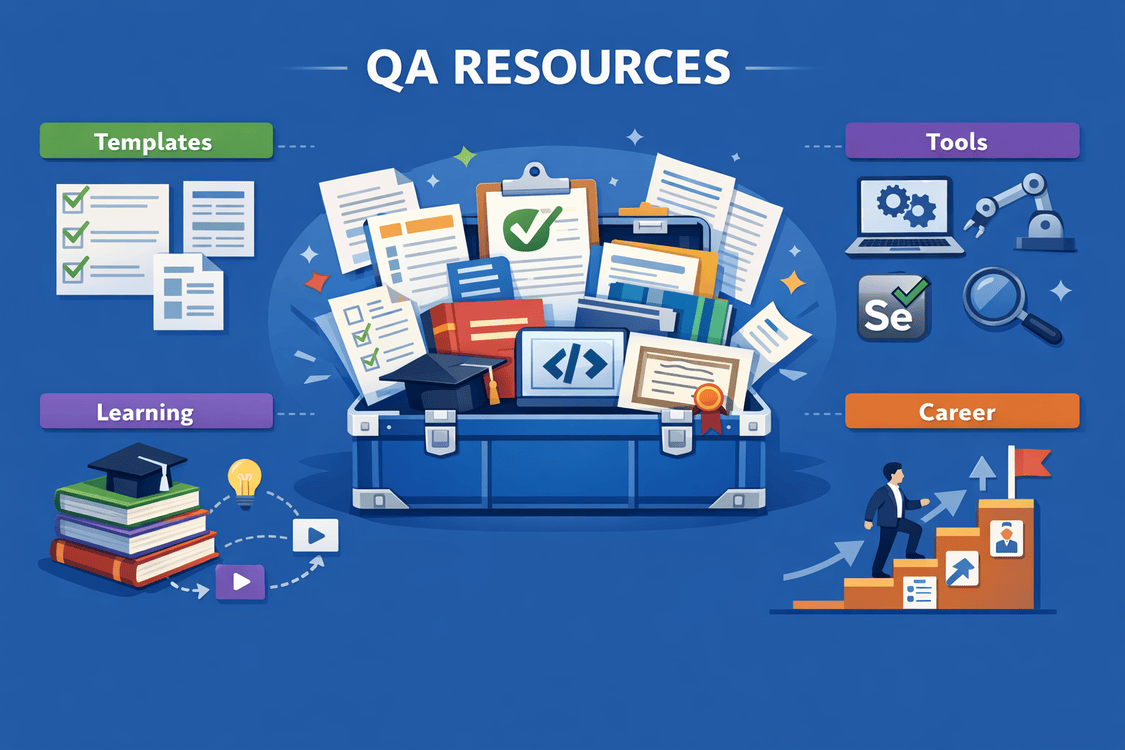
Introduction: Your QA Toolkit for Every Situation
Congratulations! You've made it to the final article of the QA Codyssey series. Over the past 9 articles, we've covered:
✅ Requirement Analysis (ACID Test)
✅ Test Design Techniques (EP, BVA, Decision Tables, State Transitions, Pairwise)
✅ Error Guessing & Exploratory Testing
✅ Test Coverage Metrics
✅ Real-World Case Studies
✅ Modern Agile Workflows
✅ Effective Bug Reporting
You now have the knowledge. This final article gives you the tools.
Think of this as your QA emergency kit—the article you bookmark, print, and keep handy for when you need quick answers:
- 📋 Copy-paste templates for every scenario
- ✅ Checklists for common situations
- 🛠️ Essential tools and resources
- 📚 Learning resources for continued growth
- 💼 Career development advice
- 🎯 Building your personal brand
Let's build your survival kit! 🎒
📋 Part 1: Ready-to-Use Templates
Template 1: Test Case (General Purpose)
TC-XXX-YYY: [Descriptive Test Case Title]
Classification: [Functional/Integration/E2E/Performance/Security]
Priority: [Critical/High/Medium/Low]
Type: [Positive/Negative/Boundary/Edge Case]
Technique: [EP/BVA/Decision Table/State Transition/Error Guessing/Pairwise]
Preconditions
- [System state before test]
- [Required data setup]
- [User permissions/roles needed]
- [Environment configuration]
Test Data
input:
  field1: "value"
  field2: "value"
expected_output:
  result: "expected value"
Test Steps
- [Action with specific details and exact values]
- [Action with specific details and exact values]
- [Action with specific details and exact values]
Expected Results
✅ [What should happen - be specific]
✅ [System state after test]
✅ [UI feedback/messages shown]
✅ [Data verification in database]
Post-Conditions
- [Cleanup required]
- [State to verify after test]
Additional Information
Estimated Time: [X minutes]
Automation Status: [Yes/No/Planned]
Last Updated: [Date]
Related Requirements: [REQ-XXX]
Notes: [Any additional context]
Template 2: Traceability Matrix
| Req ID | Acceptance Criteria | Test Case IDs | Technique | Status | Notes |
|---|---|---|---|---|---|
| REQ-001 | [Acceptance criteria text] | TC-001-001, TC-001-002 | EP + BVA | ✅ | [Any relevant notes] |
Template 3: Exploratory Testing Charter
EXPLORATORY TESTING CHARTER
Session ID: EXP-[Project]-[Number]
Charter: Explore [Feature/Area] for [Purpose/Goal]
Duration: [60/90/120] minutes
Tester: [Your Name]
Date: [YYYY-MM-DD]
Mission
Investigate [specific area] looking for:
- [Type of issue 1]
- [Type of issue 2]
- [Type of issue 3]
Areas to Explore
- [Specific functionality/workflow]
- [Integration points]
- [Edge cases or boundaries]
Testing Heuristics to Apply
- [ ] Goldilocks (too big, too small, just right)
- [ ] Interruptions (pause, stop, resume)
- [ ] Boundaries (min, max, invalid)
- [ ] CRUD operations (create, read, update, delete)
- [ ] Error conditions and recovery
Test Data Needed
- [Data set 1]
- [Data set 2]
- [Access credentials]
Risks to Investigate
- [Known risk 1]
- [Potential risk 2]
SESSION NOTES
[Take notes during exploration with timestamps]
[00:15] 🐛 BUG FOUND: [Description]
- Steps: [Quick reproduction steps]
- Severity: [High/Medium/Low]
- Screenshot: [filename]
[00:30] 💡 OBSERVATION: [Interesting finding]
[00:45] ✅ POSITIVE: [What works well]
[01:00] ❓ QUESTION: [Unclear behavior]
Time Breakdown
- Test Design & Execution: ___%
- Bug Investigation: ___%
- Session Setup: ___%
Coverage Assessment
✅ Tested: [What was covered]
❌ Not Tested: [What wasn't covered and why]
Bugs Found: __
Observations: __
Questions: __
Follow-up Actions
- [ ] [Action item 1]
- [ ] [Action item 2]
Template 4: Weekly QA Status Report
QA Status Report - Week of [Date]
TL;DR
🟢 [On track / 🟡 At risk / 🔴 Blocked]
Key Points:
- [Most important update]
- [Critical blocker or achievement]
📊 Test Execution Summary
Sprint/Release: [Sprint 24 / Release 2.5]
Requirements Coverage
- Total Requirements: __
- Requirements Tested: __ (__%)
- Acceptance Criteria Coverage: % (/__)
Test Execution
- Total Test Cases: __
- Executed: __ (__%)
- Passed: __ (__%)
- Failed: __ (__%)
- Blocked: __ (__%)
Automation
- Automated Tests: __ (__% of total)
- Automation Pass Rate: __%
- New Tests Automated This Week: __
🐛 Defects
New Bugs This Week: __
- 🔴 Critical: __ (Details: [list])
- 🟡 High: __
- 🟢 Medium: __
- 🔵 Low: __
Bug Status
- Fixed This Week: __
- Still Open: __
- Reopened: __
Critical Issues
[Describe any critical bugs blocking release]
🚦 Release Readiness
Status: 🟢 Ready / 🟡 At Risk / 🔴 Not Ready
Blockers:
- [ ] [Blocker 1]
- [ ] [Blocker 2]
Risks:
- ⚠️ [Risk 1 and mitigation plan]
✅ Achievements This Week
- [Achievement 1]
- [Achievement 2]
⚠️ Challenges & Blockers
- [Challenge 1]
- [Challenge 2]
📅 Next Week Plan
- [Goal 1]
- [Goal 2]
Questions or concerns? Reach out to [Your Name]
Template 5: Three Amigos Meeting Notes
THREE AMIGOS - [Story Title]
Date: [YYYY-MM-DD]
Attendees: [Developer], [Product Owner], [QA]
Story: [USER-XXX] [Story Title]
📖 Story Summary
[Brief description of the user story]
💡 Business Value (PO Perspective)
Why are we building this?
- [Business reason]
- [User problem being solved]
- [Success criteria]
🔧 Technical Approach (Dev Perspective)
How will we build this?
- [Technical solution]
- [Dependencies]
- [Time estimate]
- [Risks]
🧪 Testing Perspective (QA)
What could go wrong? How will we test?
Edge Cases Identified
- [Edge case 1]
- [Edge case 2]
Testability Concerns
- [Concern 1]
- [Concern 2]
Test Strategy
- [Approach 1]
- [Approach 2]
✅ Refined Acceptance Criteria
Original:
[Original acceptance criteria]
Updated After Discussion:
- [Refined criterion 1]
- [Refined criterion 2]
- [Refined criterion 3]
❓ Questions Resolved
Q: [Question]
A: [Answer and decision made]
Q: [Question]
A: [Answer and decision made]
📋 Definition of Done
- [ ] Feature implemented
- [ ] Unit tests written (>80% coverage)
- [ ] API tests automated
- [ ] Manual testing completed
- [ ] Documentation updated
- [ ] Works in [browsers/devices]
- [ ] Performance acceptable
- [ ] Security reviewed (if applicable)
- [ ] PO sign-off received
🎯 Action Items
- [ ] [Action] - Owner: [Name] - Due: [Date]
- [ ] [Action] - Owner: [Name] - Due: [Date]
🚩 Flags/Risks
- [Risk or concern flagged]
✅ Part 2: Essential Checklists
Checklist 1: Pre-Testing Preparation
PRE-TESTING CHECKLIST

REQUIREMENTS UNDERSTANDING
□ Read all requirements documents
□ Attend refinement/planning meetings
□ Clarify ambiguities with Three Amigos
□ Understand acceptance criteria
□ Identify dependencies
□ Map to user workflows

TEST ENVIRONMENT
□ Access to test environment confirmed
□ Environment is stable and ready
□ Test data prepared/seeded
□ Necessary tools installed
□ Credentials/permissions obtained
□ Network access verified

TEST PLANNING
□ Test strategy defined
□ Techniques selected (EP, BVA, etc.)
□ Test cases designed
□ Automation plan created
□ Risk areas identified
□ Time estimated realistically

RESOURCES
□ Test management tool access (Jira, TestRail)
□ Bug tracking system access
□ Communication channels set up
□ Stakeholders identified
□ Schedule blocked on calendar
Checklist 2: Test Execution
TEST EXECUTION CHECKLIST

BEFORE EACH TEST
□ Understand test objective
□ Verify preconditions met
□ Have test data ready
□ Know expected results
□ Prepare to document findings

DURING TEST EXECUTION
□ Follow steps exactly as written
□ Document deviations
□ Capture evidence (screenshots, logs)
□ Note unexpected behavior
□ Track actual results
□ Record execution time

AFTER EACH TEST
□ Compare actual vs expected
□ Update test status (Pass/Fail/Blocked)
□ Log bugs if test failed
□ Document notes for future reference
□ Clean up test data (if required)

END OF DAY
□ Update test tracking sheet
□ Log bugs found today
□ Communicate blockers
□ Plan tomorrow's testing
□ Backup evidence/logs
Checklist 3: Release Readiness
RELEASE READINESS CHECKLIST

FUNCTIONALITY
□ All critical features tested
□ All high-priority features tested
□ Regression testing completed
□ No critical bugs open
□ High-priority bugs resolved or accepted

QUALITY METRICS
□ Requirement coverage: 100%
□ Test execution rate: >95%
□ Pass rate acceptable (>90%)
□ Defect detection rate: >85%
□ Escaped defects from last release: <5%

AUTOMATION
□ Automated tests passing in CI/CD
□ Smoke tests passing
□ Critical path tests automated
□ Performance tests run (if applicable)

DOCUMENTATION
□ Test results documented
□ Known issues documented
□ Release notes reviewed
□ User documentation updated

APPROVALS
□ QA sign-off completed
□ PO sign-off received
□ Stakeholder approval obtained

DEPLOYMENT
□ Deployment plan reviewed
□ Rollback plan exists
□ Monitoring plan in place
□ On-call schedule defined

RISK ASSESSMENT
□ All known risks documented
□ Mitigation plans in place
□ Go/No-Go decision made
Checklist 4: Bug Report Quality
BUG REPORT QUALITY CHECKLIST

BEFORE REPORTING
□ Reproduced bug 3 times
□ Checked it's not expected behavior
□ Searched for duplicate bugs
□ Verified in correct environment
□ Documented exact steps

ESSENTIAL ELEMENTS
□ Descriptive title (Feature + Symptom)
□ Clear reproduction steps
□ Expected behavior defined
□ Actual behavior documented
□ Environment details included
□ Evidence attached (screenshots/video)
□ Severity assigned correctly
□ Priority recommended

OPTIONAL BUT HELPFUL
□ Hypothesis about cause
□ Suggested fix (if obvious)
□ Workaround documented
□ Related bugs linked
□ Impact assessment included

COMMUNICATION
□ Professional tone
□ No blame or emotion
□ Context provided
□ Clear and concise
□ Ready for developer review
Checklist 5: Exploratory Testing Session
EXPLORATORY TESTING SESSION CHECKLIST

PREPARATION (10 min)
□ Charter defined with clear mission
□ Time-box set (60-120 min)
□ Test data prepared
□ Tools ready (screen recorder, etc.)
□ Distractions minimized
□ Note-taking app open

DURING SESSION
□ Start timer
□ Take notes continuously with timestamps
□ Screenshot interesting findings
□ Stay focused on charter
□ Follow curiosity within scope
□ Test like a real user would

DOCUMENTATION
□ Bug reports created for issues found
□ Observations documented
□ Questions noted
□ Positive findings recorded
□ Time breakdown calculated

POST-SESSION (15-30 min)
□ Session report written
□ Bugs logged in tracking system
□ Debrief scheduled
□ Coverage assessed
□ Follow-up actions identified
□ Next charter planned
🛠️ Part 3: Essential Tools by Category
Test Management Tools
FREE / OPEN SOURCE:
📋 TestLink - Test case management
📋 qTest - Test management (free tier)
📋 PractiTest - Test management (free trial)
📋 Zephyr for Jira - Test management in Jira

PAID (POPULAR):
📋 TestRail - Industry standard
📋 Xray for Jira - Jira integration
📋 Azure Test Plans - Microsoft ecosystem
📋 qTest - Enterprise features
Automation Tools
WEB AUTOMATION:
🤖 Selenium WebDriver - Browser automation
🤖 Cypress - Modern E2E testing
🤖 Playwright - Cross-browser testing
🤖 Puppeteer - Chrome automation

API TESTING:
🔌 Postman - API development and testing
🔌 REST Assured - Java-based API testing
🔌 SoapUI - SOAP and REST testing
🔌 Insomnia - API client

MOBILE AUTOMATION:
📱 Appium - Cross-platform mobile testing
📱 Espresso - Android testing
📱 XCUITest - iOS testing
📱 Detox - React Native testing

PERFORMANCE:
⚡ JMeter - Load testing
⚡ Gatling - Performance testing
⚡ k6 - Modern load testing
⚡ Locust - Python-based load testing
Bug Tracking & Collaboration
ISSUE TRACKING:
🐛 Jira - Industry standard
🐛 GitHub Issues - Integrated with code
🐛 Linear - Modern, fast
🐛 Bugzilla - Traditional open source

COMMUNICATION:
💬 Slack - Team messaging
💬 Microsoft Teams - Enterprise
💬 Discord - Developer communities
💬 Mattermost - Self-hosted Slack alternative

DOCUMENTATION:
📝 Confluence - Wiki/documentation
📝 Notion - All-in-one workspace
📝 GitBook - Documentation platform
📝 ReadMe - API documentation
Test Data & Environment Tools
TEST DATA:
🎲 Faker.js - Generate fake data
🎲 Mockaroo - Mock data generator
🎲 JSON Generator - JSON test data
🎲 SQL Data Generator - Database test data

ENVIRONMENT:
🐳 Docker - Containerization
🐳 Docker Compose - Multi-container apps
☸️ Kubernetes - Container orchestration
🔧 Vagrant - Virtual environment management

API MOCKING:
🎭 WireMock - Mock HTTP services
🎭 Mockoon - Mock API tool
🎭 JSON Server - Quick REST API mock
🎭 Postman Mock Server - Postman integration
Screen Capture & Recording
SCREENSHOTS:
📸 Greenshot - Windows screenshot tool
📸 Snagit - Professional screenshots
📸 Lightshot - Simple and fast
📸 Monosnap - Cross-platform

VIDEO RECORDING:
🎥 Loom - Quick screen recording
🎥 OBS Studio - Professional recording
🎥 ShareX - Windows screen capture
🎥 Kap - macOS screen recorder

BROWSER DEVTOOLS:
🔧 Chrome DevTools - Network, console, performance
🔧 Firefox Developer Tools - Similar to Chrome
🔧 React DevTools - React inspection
🔧 Redux DevTools - Redux state debugging
Accessibility Testing
AUTOMATED SCANNERS:
♿ Axe DevTools - Browser extension
♿ WAVE - Web accessibility evaluator
♿ Lighthouse - Chrome built-in
♿ Pa11y - Command-line tool

SCREEN READERS:
🔊 NVDA - Free Windows screen reader
🔊 JAWS - Professional screen reader
🔊 VoiceOver - macOS/iOS built-in
🔊 TalkBack - Android built-in

CONTRAST CHECKERS:
🎨 WebAIM Contrast Checker
🎨 Contrast Ratio - Online tool
🎨 Colorblind Web Page Filter
📚 Part 4: Learning Resources
Essential Reading
BOOKS (MUST-READ):
📖 "Lessons Learned in Software Testing"
   - Kaner, Bach, Pettichord

📖 "Explore It!"
   - Elisabeth Hendrickson

📖 "The Art of Software Testing"
   - Glenford Myers

📖 "Agile Testing"
   - Lisa Crispin & Janet Gregory

📖 "Perfect Software and Other Illusions"
   - Gerald Weinberg

BOOKS (ADVANCED):
📖 "How Google Tests Software"
   - Whittaker, Arbon, Carollo

📖 "Software Testing Techniques"
   - Boris Beizer

📖 "The DevOps Handbook"
   - Gene Kim et al.
Online Courses & Certifications
FREE COURSES:
🎓 Test Automation University (Applitools)
🎓 Ministry of Testing (Dojo)
🎓 ISTQB Foundation Level Study Materials
🎓 Coursera - Software Testing Courses

PAID COURSES:
💰 Udemy - Multiple testing courses
💰 Pluralsight - QA learning paths
💰 LinkedIn Learning - Software testing
💰 QA Academy - Specialized training

CERTIFICATIONS:
🏆 ISTQB Certified Tester (Foundation/Advanced)
🏆 CSTE (Certified Software Test Engineer)
🏆 AWS Certified Developer (DevOps skills)
🏆 Certified Agile Tester (CAT)
Communities & Forums
ONLINE COMMUNITIES:
👥 Ministry of Testing - Testing community
👥 Software Testing Reddit - r/softwaretesting
👥 QA Stack Exchange
👥 Testing Discord Servers

SLACK COMMUNITIES:
💬 Ministry of Testing Slack
💬 Test Automation Slack
💬 QA Community Slack

CONFERENCES:
🎤 STAR Conference
🎤 Agile Testing Days
🎤 SeleniumConf
🎤 TestBash (Ministry of Testing)

TWITTER/X FOLLOWS:
🐦 @ministryoftest
🐦 @angie_jones (Test Automation)
🐦 @eviltester (Alan Richardson)
🐦 @testingisfun (Jim Holmes)
Blogs & Newsletters
TOP BLOGS:
📰 Ministry of Testing Blog
📰 Automation Panda
📰 Evil Tester Blog
📰 Martin Fowler's Blog

NEWSLETTERS:
📬 Software Testing Weekly
📬 QA Lead Newsletter
📬 Test Automation Weekly
📬 Automation Insider
💼 Part 5: Career Development
QA Career Ladder
📊 CAREER PROGRESSION PATH

JUNIOR QA (0-2 years)
├─ Execute manual test cases
├─ Write basic bug reports
├─ Learn automation basics
└─ Understand SDLC
💰 Salary: $45-65k

QA ENGINEER (2-4 years)
├─ Design test cases independently
├─ Write automation scripts
├─ Participate in planning
└─ Mentor junior testers
💰 Salary: $65-85k

SENIOR QA (4-7 years)
├─ Lead testing for features
├─ Build automation frameworks
├─ Drive quality processes
└─ Technical decision making
💰 Salary: $85-115k

QA LEAD (7-10 years)
├─ Manage QA team (3-8 people)
├─ Define testing strategy
├─ Stakeholder communication
└─ Process improvement
💰 Salary: $100-135k

QA MANAGER (10+ years)
├─ Department leadership
├─ Budget and hiring
├─ Cross-team collaboration
└─ Strategic planning
💰 Salary: $120-160k+

ALTERNATIVE PATHS:
🔀 SDET (Software Development Engineer in Test)
🔀 DevOps Engineer (CI/CD focus)
🔀 QA Architect
🔀 Director of Quality
🔀 Performance Engineer
🔀 Security Tester
Skills to Develop
TECHNICAL SKILLS (Priority Order)

YEAR 1-2: FOUNDATIONS
□ SQL basics (queries, joins)
□ API testing (Postman)
□ Basic scripting (Python/JavaScript)
□ Git version control
□ Linux command line
□ Browser DevTools

YEAR 2-4: AUTOMATION
□ Selenium/Cypress/Playwright
□ Programming (Python or JavaScript)
□ Test framework design
□ CI/CD basics (Jenkins, GitHub Actions)
□ Performance testing basics
□ Mobile testing

YEAR 4-7: ADVANCED
□ Advanced programming
□ Architecture patterns
□ Performance engineering
□ Security testing
□ Cloud platforms (AWS/Azure)
□ Containerization (Docker)

SOFT SKILLS (ALWAYS)
□ Communication
□ Collaboration
□ Critical thinking
□ Problem solving
□ Time management
□ Attention to detail
Building Your Personal Brand
ONLINE PRESENCE

LINKEDIN:
✅ Complete profile with keywords
✅ Share testing insights weekly
✅ Engage with testing community
✅ Showcase projects and achievements
✅ Collect recommendations

GITHUB:
✅ Contribute to open source testing tools
✅ Build automation frameworks
✅ Document code well
✅ Show consistent activity

BLOG/MEDIUM:
✅ Write about testing experiences
✅ Share lessons learned
✅ Tutorial content
✅ Case studies

SPEAKING:
✅ Internal tech talks
✅ Local meetups
✅ Conference proposals
✅ Webinars
Resume Tips for QA Engineers
RESUME STRUCTURE

SUMMARY (3-4 lines)
"QA Engineer with 5 years experience in agile environments.
Expertise in test automation (Selenium, Cypress), API testing,
and CI/CD integration. Proven track record of improving test
coverage by 40% and reducing release cycles."

SKILLS (Organize by category)
- Automation: Selenium, Cypress, Playwright, Appium
- Languages: Python, JavaScript, Java
- Tools: Jira, TestRail, Postman, Git, Jenkins
- Testing: Functional, Regression, API, Performance
- Methodologies: Agile, Scrum, CI/CD

EXPERIENCE (Achievement-focused)
❌ "Wrote test cases and found bugs"
✅ "Designed and executed 200+ test cases covering critical
   user workflows, reducing production defects by 35%"

❌ "Did automation"
✅ "Built automated regression suite with Cypress reducing
   testing time from 8 hours to 45 minutes"

PROJECTS (Show impact)
"E-commerce Checkout Redesign
- Developed comprehensive test strategy covering 12 payment methods
- Automated 85% of critical paths using Selenium
- Found and documented 23 bugs before production release
- Zero payment-related issues in first 3 months post-launch"

METRICS TO INCLUDE:
📊 Test coverage percentages
📊 Defect detection rates
📊 Time saved through automation
📊 Team size managed (if lead)
📊 Release frequency improved
🎯 Part 6: Quick Win Strategies
Your First 90 Days in a New QA Role
DAYS 1-30: LEARN
Week 1:
□ Understand the product (use it!)
□ Meet the team
□ Access all tools and systems
□ Read documentation
□ Shadow experienced testers

Week 2-4:
□ Execute existing test cases
□ Ask lots of questions
□ Start building relationships
□ Learn the codebase basics
□ Understand release process

DAYS 31-60: CONTRIBUTE
□ Take ownership of a feature area
□ Write new test cases
□ Start basic automation
□ Participate in planning meetings
□ Suggest small improvements

DAYS 61-90: IMPACT
□ Lead testing for a feature
□ Improve existing processes
□ Mentor newer team members
□ Present findings to stakeholders
□ Propose automation initiatives
Common Pitfalls to Avoid
❌ DON'T: Be the "no" person
✅ DO: Be the "here's the risk" person

❌ DON'T: Gate-keep at the end
✅ DO: Partner throughout development

❌ DON'T: Obsess over 100% coverage
✅ DO: Focus on risk-based coverage

❌ DON'T: Write vague bug reports
✅ DO: Write reproducible, detailed reports

❌ DON'T: Automate everything
✅ DO: Automate strategically

❌ DON'T: Work in isolation
✅ DO: Collaborate continuously

❌ DON'T: Fear asking questions
✅ DO: Ask early and often

❌ DON'T: Blame developers for bugs
✅ DO: Partner to improve quality together
🎓 Conclusion: Your Journey Continues
Congratulations! You've completed the entire QA Codyssey series. You now have:
✅ Systematic approaches to requirement analysis
✅ 7 test design techniques to choose from
✅ Coverage metrics that actually matter
✅ Modern workflow practices for Agile/DevOps
✅ Communication skills for effective bug reporting
✅ Templates and checklists for every scenario
But This Isn't the End...
The QA field evolves constantly. New tools emerge, methodologies improve, and best practices shift. Your learning journey never truly ends.
Keep growing by:
- 🌱 Learning one new tool every quarter
- 🌱 Reading one testing book per year
- 🌱 Attending at least one conference or meetup
- 🌱 Contributing to the testing community
- 🌱 Mentoring others as you grow
- 🌱 Staying curious and questioning everything
Final Words of Wisdom
From Part 1: Requirements ambiguity is the silent killer. Ask questions early.
From Part 2: Test smarter, not harder. EP and BVA save massive time.
From Part 3: Complex logic becomes simple when you visualize it.
From Part 4: Mathematics can reduce 144 tests to 16. Use it.
From Part 5: Structured chaos finds bugs automation misses.
From Part 6: Coverage is a compass, not a destination.
From Part 7: Techniques work best when combined strategically.
From Part 8: Quality is everyone's job, but QA enables it.
From Part 9: Great bug reports build trust and get fixed faster.
From Part 10: Keep learning, keep improving, keep testing!
📚 Series Progress
✅ Part 1: Requirement Analysis
✅ Part 2: Equivalence Partitioning & BVA
✅ Part 3: Decision Tables & State Transitions
✅ Part 4: Pairwise Testing
✅ Part 5: Error Guessing & Exploratory Testing
✅ Part 6: Test Coverage Metrics
✅ Part 7: Real-World Case Study
✅ Part 8: Modern QA Workflow
✅ Part 9: Bug Reports That Get Fixed
✅ Part 10: The QA Survival Kit ← You just finished this!
🙏 Thank You!
Thank you for joining me on this QA Codyssey! Whether you read all 10 articles or just the ones you needed, I hope you found value in this series.
Remember: You don't need to be perfect to be a great QA engineer. You just need to be curious, systematic, and willing to keep learning.
Now go forth and test with confidence! 🧪✨
"Quality is not an act, it is a habit." — Aristotle
"The bitterness of poor quality remains long after the sweetness of low price is forgotten." — Benjamin Franklin
"Testing leads to failure, and failure leads to understanding." — Burt Rutan
🎉 SERIES COMPLETE! 🎉